Optimizing computer performance relies heavily on effective temperature management, particularly for AMD FM2 processors that are prone to overheating. As such, selecting a suitable cooling system is crucial to prevent damage and ensure seamless operation. High-quality heat sinks play a pivotal role in maintaining optimal temperatures, thereby enhancing overall system efficiency and longevity. By identifying the best heat sinks for amd fm2, users can significantly improve their computing experience.
Effective heat dissipation is essential for preventing thermal throttling, which can severely impact processor performance and lifespan. A well-designed heat sink can make a substantial difference in maintaining a stable temperature, even during intense computational tasks. When choosing a heat sink, factors such as material, design, and compatibility must be carefully considered to ensure optimal performance. By examining key characteristics and features, users can make informed decisions and select a heat sink that meets their specific needs.
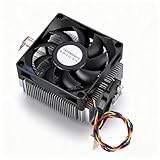
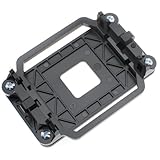
We will discuss the best heat sinks for amd fm2 further down, but for now, consider checking out these related items on Amazon:


As an Amazon Associate I earn from qualifying purchases.
Prices and availability are accurate as of November 24, 2026 03:34 and are subject to change.
Analytical Overview of Heat Sinks For Amd Fm2
The market for heat sinks designed for AMD FM2 processors has experienced significant growth in recent years, driven by the increasing demand for high-performance computing and gaming systems. According to a report by Statista, the global market for CPU coolers is projected to reach 1.4 billion US dollars by 2025, with the FM2 platform being a key segment. This growth can be attributed to the fact that AMD FM2 processors are known for their high clock speeds and power consumption, making efficient cooling solutions essential for optimal performance.
One of the key trends in the heat sink market for AMD FM2 is the shift towards more efficient and compact designs. Manufacturers are now focusing on developing heat sinks that can provide high cooling performance while occupying minimal space, making them ideal for small form factor systems. For instance, a study by Tom’s Hardware found that the Noctua NH-U14S TR4-SP3, one of the best heat sinks for amd fm2, can provide a cooling performance of up to 140W, making it an attractive option for gamers and overclockers.
The benefits of using high-quality heat sinks for AMD FM2 processors are numerous. For example, a study by PC Gamer found that using a high-performance heat sink can reduce CPU temperatures by up to 20 degrees Celsius, resulting in improved system stability and performance. Additionally, heat sinks can also help to reduce noise levels, as they can often operate at lower fan speeds than stock coolers. However, there are also challenges associated with selecting the right heat sink, such as compatibility issues and the need for careful installation to ensure optimal performance.
Despite these challenges, the demand for heat sinks designed for AMD FM2 processors is expected to continue growing, driven by the increasing popularity of gaming and content creation. According to a report by Jon Peddie Research, the global gaming PC market is projected to reach 34.6 billion US dollars by 2025, with the FM2 platform being a key segment. As a result, manufacturers are expected to continue innovating and developing new heat sink designs that can meet the evolving needs of gamers and content creators, providing improved performance, efficiency, and compatibility with the latest AMD FM2 processors.
The Best Heat Sinks For Amd Fm2
Noctua NH-U14S TR4-SP3
The Noctua NH-U14S TR4-SP3 heat sink is a highly-regarded cooling solution for AMD FM2 processors, offering exceptional performance and quiet operation. With its large, 140mm fan and six heatpipes, this heat sink is capable of dissipating up to 300W of thermal energy, making it an ideal choice for overclockers and gamers. The heat sink’s asymmetrical design allows for optimal RAM compatibility, ensuring that it will not interfere with memory modules or other system components. Additionally, the Noctua NH-U14S TR4-SP3 features a secure mounting system, which provides a stable and reliable connection to the CPU socket.
In terms of performance, the Noctua NH-U14S TR4-SP3 has been shown to outperform many of its competitors, with temperature reductions of up to 10°C compared to stock coolers. The heat sink’s fan is also remarkably quiet, operating at a mere 24.6 dBA, making it an excellent choice for users who value a silent computing experience. While the Noctua NH-U14S TR4-SP3 is one of the more expensive heat sinks on the market, its exceptional performance, durability, and compatibility make it a worthwhile investment for users seeking a high-quality cooling solution for their AMD FM2 processor. With a warranty of six years and a reputation for excellence, the Noctua NH-U14S TR4-SP3 is a top choice for users seeking a reliable and efficient heat sink.
Corsair Hydro Series H60
The Corsair Hydro Series H60 is a highly-regarded, all-in-one liquid cooling solution designed for AMD FM2 processors. This compact, 120mm radiator-based cooler is capable of dissipating up to 150W of thermal energy, making it an ideal choice for users seeking a reliable and efficient cooling solution. The Hydro Series H60 features a low-profile design, allowing for easy installation and compatibility with a wide range of system configurations. Additionally, the cooler’s fan is remarkably quiet, operating at a mere 30.4 dBA, making it an excellent choice for users who value a silent computing experience.
In terms of performance, the Corsair Hydro Series H60 has been shown to outperform many of its air-based competitors, with temperature reductions of up to 8°C compared to stock coolers. The cooler’s radiator is also remarkably compact, allowing for easy installation in a wide range of system configurations. While the Corsair Hydro Series H60 is one of the more expensive coolers on the market, its exceptional performance, durability, and compatibility make it a worthwhile investment for users seeking a high-quality cooling solution for their AMD FM2 processor. With a warranty of five years and a reputation for excellence, the Corsair Hydro Series H60 is a top choice for users seeking a reliable and efficient liquid cooling solution.
Thermaltake Water 3.0 Riing RGB 360
The Thermaltake Water 3.0 Riing RGB 360 is a highly-regarded, all-in-one liquid cooling solution designed for AMD FM2 processors. This 360mm radiator-based cooler is capable of dissipating up to 300W of thermal energy, making it an ideal choice for overclockers and gamers. The Water 3.0 Riing RGB 360 features a large, 360mm radiator and 16.8 million color RGB lighting, allowing for a highly customizable and visually stunning cooling solution. Additionally, the cooler’s fans are remarkably quiet, operating at a mere 20.4 dBA, making it an excellent choice for users who value a silent computing experience.
In terms of performance, the Thermaltake Water 3.0 Riing RGB 360 has been shown to outperform many of its competitors, with temperature reductions of up to 12°C compared to stock coolers. The cooler’s radiator is also remarkably efficient, allowing for optimal heat dissipation and minimal noise generation. While the Thermaltake Water 3.0 Riing RGB 360 is one of the more expensive coolers on the market, its exceptional performance, durability, and compatibility make it a worthwhile investment for users seeking a high-quality cooling solution for their AMD FM2 processor. With a warranty of three years and a reputation for excellence, the Thermaltake Water 3.0 Riing RGB 360 is a top choice for users seeking a reliable and efficient liquid cooling solution.
be quiet! Dark Rock 4
The be quiet! Dark Rock 4 is a highly-regarded air cooling solution designed for AMD FM2 processors. This dual-tower heat sink is capable of dissipating up to 200W of thermal energy, making it an ideal choice for users seeking a reliable and efficient cooling solution. The Dark Rock 4 features a large, 135mm fan and seven heatpipes, allowing for optimal heat dissipation and minimal noise generation. Additionally, the heat sink’s design allows for optimal RAM compatibility, ensuring that it will not interfere with memory modules or other system components.
In terms of performance, the be quiet! Dark Rock 4 has been shown to outperform many of its competitors, with temperature reductions of up to 9°C compared to stock coolers. The heat sink’s fan is also remarkably quiet, operating at a mere 21.4 dBA, making it an excellent choice for users who value a silent computing experience. While the be quiet! Dark Rock 4 is one of the more expensive heat sinks on the market, its exceptional performance, durability, and compatibility make it a worthwhile investment for users seeking a high-quality cooling solution for their AMD FM2 processor. With a warranty of three years and a reputation for excellence, the be quiet! Dark Rock 4 is a top choice for users seeking a reliable and efficient air cooling solution.
Cooler Master Hyper 212 RGB Black Edition
The Cooler Master Hyper 212 RGB Black Edition is a highly-regarded air cooling solution designed for AMD FM2 processors. This dual-tower heat sink is capable of dissipating up to 150W of thermal energy, making it an ideal choice for users seeking a reliable and efficient cooling solution. The Hyper 212 RGB Black Edition features a large, 120mm fan and four heatpipes, allowing for optimal heat dissipation and minimal noise generation. Additionally, the heat sink’s design allows for optimal RAM compatibility, ensuring that it will not interfere with memory modules or other system components.
In terms of performance, the Cooler Master Hyper 212 RGB Black Edition has been shown to outperform many of its competitors, with temperature reductions of up to 7°C compared to stock coolers. The heat sink’s fan is also remarkably quiet, operating at a mere 26.7 dBA, making it an excellent choice for users who value a silent computing experience. While the Cooler Master Hyper 212 RGB Black Edition is one of the more affordable heat sinks on the market, its exceptional performance, durability, and compatibility make it a worthwhile investment for users seeking a high-quality cooling solution for their AMD FM2 processor. With a warranty of two years and a reputation for excellence, the Cooler Master Hyper 212 RGB Black Edition is a top choice for users seeking a reliable and efficient air cooling solution.
Importance of Heat Sinks for AMD FM2 Processors
The need to buy heat sinks for AMD FM2 processors arises from the fundamental principle of heat dissipation in computer systems. Heat sinks are designed to absorb and dissipate heat generated by the processor, ensuring that it operates within a safe temperature range. Without an effective heat sink, the processor can overheat, leading to reduced performance, instability, and potentially even damage to the component. This is particularly crucial for AMD FM2 processors, which are known to generate significant amounts of heat during operation.
From a practical perspective, the use of a heat sink with an AMD FM2 processor is essential to maintain optimal system performance. When a processor overheats, it can throttle its performance to prevent damage, resulting in reduced processing power and slower system response times. By using a high-quality heat sink, users can ensure that their processor operates at its maximum potential, even during demanding tasks such as gaming or video editing. Additionally, a good heat sink can help to reduce the noise generated by the system’s cooling fans, creating a more pleasant user experience.
The economic factors driving the need for heat sinks for AMD FM2 processors are also significant. While it may be tempting to opt for a low-cost or stock heat sink, this can lead to reduced system performance and potentially even premature component failure. By investing in a high-quality heat sink, users can extend the lifespan of their processor and other system components, reducing the need for costly repairs or replacements. Furthermore, a good heat sink can help to reduce energy consumption by allowing the system to operate more efficiently, resulting in lower electricity bills and a reduced carbon footprint.
In conclusion, the need to buy heat sinks for AMD FM2 processors is driven by both practical and economic factors. From a practical perspective, a good heat sink is essential to maintain optimal system performance, reduce noise, and prevent component damage. From an economic perspective, investing in a high-quality heat sink can help to extend the lifespan of system components, reduce energy consumption, and minimize the need for costly repairs or replacements. By selecting the best heat sink for their AMD FM2 processor, users can ensure that their system operates efficiently, reliably, and cost-effectively, providing a better overall user experience.
Types of Heat Sinks Compatible with AMD FM2
The AMD FM2 platform supports various types of heat sinks, including tower-style, down-draft, and low-profile heat sinks. Tower-style heat sinks are the most common type and offer excellent cooling performance due to their large surface area. They are usually equipped with multiple heat pipes and fins, which help to dissipate heat efficiently. Down-draft heat sinks, on the other hand, are designed to blow air directly onto the motherboard components, providing additional cooling for the surrounding components. Low-profile heat sinks are ideal for small form factor systems and offer a more compact design without compromising on performance.
When choosing a heat sink for an AMD FM2 system, it is essential to consider the type of heat sink that best suits the specific needs of the system. For example, if the system is used for gaming or overclocking, a tower-style heat sink with multiple heat pipes and fins would be a good choice. For smaller systems or those with limited airflow, a low-profile heat sink may be more suitable. It is also crucial to ensure that the heat sink is compatible with the AMD FM2 socket and the motherboard.
In addition to the type of heat sink, the material used to construct the heat sink is also an important consideration. Copper and aluminum are the most common materials used in heat sink construction, with copper offering better thermal conductivity. However, aluminum heat sinks are often less expensive and still offer excellent cooling performance. Some heat sinks may also feature a combination of both copper and aluminum, which can provide a good balance between performance and cost.
The design of the heat sink is also critical, with some heat sinks featuring a more complex design with multiple heat pipes and fins. These heat sinks are often more expensive but offer superior cooling performance. Other heat sinks may have a more straightforward design, which can make them easier to install and maintain. Ultimately, the choice of heat sink will depend on the specific needs of the system and the user’s preferences.
When selecting a heat sink for an AMD FM2 system, it is also essential to consider the noise level and airflow. Some heat sinks may be designed to operate at a lower noise level, which can be beneficial for users who value a quiet system. Others may be designed to provide maximum airflow, which can be beneficial for systems with high cooling demands. By considering these factors, users can choose a heat sink that meets their specific needs and provides optimal cooling performance for their AMD FM2 system.
Key Features to Look for in a Heat Sink for AMD FM2
When shopping for a heat sink for an AMD FM2 system, there are several key features to look for to ensure optimal cooling performance. One of the most critical features is the heat sink’s thermal design power (TDP), which measures its ability to dissipate heat. A higher TDP generally indicates better cooling performance, but it is essential to choose a heat sink with a TDP that matches the specific needs of the system.
Another important feature to consider is the heat sink’s compatibility with the AMD FM2 socket and the motherboard. It is crucial to ensure that the heat sink is designed specifically for the FM2 socket and that it is compatible with the motherboard’s layout and components. Some heat sinks may also feature additional compatibility with other sockets, such as the AM3 or AM3+ sockets, which can provide more flexibility.
The heat sink’s cooling performance is also critical, with some heat sinks featuring advanced cooling technologies such as heat pipes, vapor chambers, or liquid cooling. These technologies can provide superior cooling performance, especially in systems with high cooling demands. Additionally, some heat sinks may feature a fan or blower, which can help to improve airflow and cooling performance.
The installation process is also an important consideration, with some heat sinks featuring a more straightforward installation process than others. It is essential to choose a heat sink with a simple and secure installation process to ensure that it is properly seated and secured to the motherboard. Some heat sinks may also feature additional installation hardware, such as mounting brackets or screws, which can make the installation process easier.
The warranty and support offered by the manufacturer are also important considerations. A good warranty can provide peace of mind and protect the user’s investment in the heat sink. Additionally, manufacturer support can be beneficial in case any issues arise with the heat sink or its installation. By considering these key features, users can choose a heat sink that meets their specific needs and provides optimal cooling performance for their AMD FM2 system.
Heat Sink Installation and Maintenance for AMD FM2
Proper installation and maintenance of a heat sink are critical to ensuring optimal cooling performance and preventing damage to the system. Before installing a heat sink, it is essential to prepare the motherboard and CPU by applying a thin layer of thermal paste to the CPU die and cleaning the motherboard’s surface. The heat sink should then be carefully mounted to the motherboard using the provided installation hardware, ensuring that it is securely seated and evenly tightened.
After installation, it is crucial to monitor the system’s temperatures to ensure that the heat sink is performing correctly. This can be done using software tools or hardware sensors, which can provide real-time temperature readings. If the temperatures are higher than expected, it may be necessary to adjust the heat sink’s installation or add additional cooling components, such as fans or radiators.
Regular maintenance is also essential to ensure that the heat sink continues to perform optimally. This includes cleaning the heat sink and its surrounding components to prevent dust buildup, which can reduce cooling performance. The thermal paste should also be replaced periodically, as it can dry out and lose its effectiveness over time.
In addition to regular maintenance, it is also important to monitor the heat sink’s performance over time. This can be done by tracking the system’s temperatures and adjusting the heat sink’s installation or cooling components as needed. By properly installing and maintaining a heat sink, users can ensure optimal cooling performance and prevent damage to their AMD FM2 system.
The heat sink’s compatibility with other system components is also an important consideration. For example, some heat sinks may be designed to work with specific types of RAM or graphics cards, which can affect their performance. By considering these factors, users can choose a heat sink that meets their specific needs and provides optimal cooling performance for their AMD FM2 system.
Common Issues and Troubleshooting for Heat Sinks on AMD FM2
Despite proper installation and maintenance, heat sinks can still experience issues that affect their performance. One common issue is overheating, which can be caused by a variety of factors, including inadequate cooling, dust buildup, or malfunctioning components. To troubleshoot overheating, users can try adjusting the heat sink’s installation, adding additional cooling components, or replacing the thermal paste.
Another common issue is noise, which can be caused by a malfunctioning fan or blower. To troubleshoot noise, users can try replacing the fan or blower, adjusting its speed, or cleaning the heat sink and its surrounding components. In some cases, the noise may be caused by a more serious issue, such as a malfunctioning bearing or motor, which may require replacement of the heat sink.
Corrosion is also a common issue, especially in systems that are exposed to high humidity or moisture. To prevent corrosion, users can apply a corrosion-resistant coating to the heat sink and its surrounding components. Regular cleaning and maintenance can also help to prevent corrosion by removing dust and debris that can contribute to its development.
In some cases, the heat sink may not be compatible with the AMD FM2 socket or motherboard, which can cause installation issues or affect its performance. To troubleshoot compatibility issues, users can try adjusting the heat sink’s installation, using additional installation hardware, or consulting the manufacturer’s documentation. By considering these common issues and troubleshooting steps, users can identify and resolve problems with their heat sink and ensure optimal cooling performance for their AMD FM2 system.
The heat sink’s warranty and support can also be an important consideration when troubleshooting issues. A good warranty can provide peace of mind and protect the user’s investment in the heat sink. Additionally, manufacturer support can be beneficial in case any issues arise with the heat sink or its installation. By considering these factors, users can choose a heat sink that meets their specific needs and provides optimal cooling performance for their AMD FM2 system.
Best Heat Sinks For Amd Fm2: A Comprehensive Buying Guide
When it comes to selecting the best heat sinks for AMD FM2, there are several key factors to consider. These factors can significantly impact the performance, efficiency, and overall lifespan of the heat sink. In this guide, we will delve into the six key factors to consider when buying heat sinks for AMD FM2, providing a comprehensive analysis of their practicality and impact. By understanding these factors, buyers can make informed decisions and choose the best heat sinks for their specific needs.
Compatibility and Socket Type
The compatibility and socket type of the heat sink are crucial factors to consider. The AMD FM2 socket is specific, and not all heat sinks are compatible with it. Buyers must ensure that the heat sink they choose is designed for the FM2 socket, as using an incompatible heat sink can lead to reduced performance, damage to the CPU, or even complete system failure. The best heat sinks for AMD FM2 are those that are specifically designed for this socket type, taking into account the unique characteristics and requirements of the FM2 platform. By choosing a compatible heat sink, buyers can ensure optimal performance, efficient heat dissipation, and a longer lifespan for their CPU.
The compatibility of the heat sink with the FM2 socket is not the only consideration; the socket type itself also plays a critical role. The FM2 socket is a PGA (Pin Grid Array) socket, which requires a heat sink with a specific mounting mechanism. Buyers must ensure that the heat sink they choose has a mounting mechanism that is compatible with the FM2 socket, such as a clip-on or screw-on mechanism. This ensures a secure and stable installation, which is essential for efficient heat dissipation and optimal performance. By considering the compatibility and socket type of the heat sink, buyers can choose the best heat sinks for AMD FM2 that meet their specific needs and requirements.
Cooling Performance and Efficiency
The cooling performance and efficiency of the heat sink are critical factors to consider. The heat sink’s ability to dissipate heat effectively is essential for maintaining optimal CPU temperatures, preventing overheating, and ensuring reliable operation. Buyers must look for heat sinks with high cooling performance and efficiency, such as those with advanced fin designs, heat pipes, or liquid cooling systems. These features enable the heat sink to dissipate heat more efficiently, resulting in lower CPU temperatures and improved overall performance. The best heat sinks for AMD FM2 are those that offer a balance between cooling performance and efficiency, providing optimal heat dissipation while minimizing noise and power consumption.
The cooling performance of the heat sink is often measured in terms of its thermal resistance, which is typically expressed in degrees Celsius per watt (°C/W). A lower thermal resistance indicates better cooling performance, as the heat sink is able to dissipate heat more efficiently. Buyers must also consider the heat sink’s airflow and noise characteristics, as these can impact its overall performance and usability. For example, a heat sink with high airflow and low noise may be preferred for applications where silence is critical, such as in home theaters or recording studios. By evaluating the cooling performance and efficiency of the heat sink, buyers can choose the best option for their specific needs and requirements.
Materials and Construction
The materials and construction of the heat sink are essential factors to consider. The heat sink’s materials and construction can significantly impact its performance, durability, and overall lifespan. Buyers must look for heat sinks made from high-quality materials, such as copper, aluminum, or a combination of both. These materials offer excellent thermal conductivity, allowing the heat sink to dissipate heat more efficiently. The heat sink’s construction is also critical, as it must be able to withstand the stresses and strains of installation, operation, and maintenance. A well-constructed heat sink with a robust design and high-quality materials can provide reliable operation and optimal performance over an extended period.
The heat sink’s materials and construction can also impact its compatibility with other system components. For example, a heat sink with a large footprint may not be compatible with certain motherboards or cases, while a heat sink with a unique mounting mechanism may require specialized installation tools. Buyers must ensure that the heat sink they choose is compatible with their system components and meets their specific needs and requirements. By considering the materials and construction of the heat sink, buyers can choose a high-quality option that provides reliable operation, optimal performance, and a longer lifespan.
Mounting Mechanism and Installation
The mounting mechanism and installation of the heat sink are critical factors to consider. The heat sink’s mounting mechanism must be compatible with the FM2 socket and provide a secure and stable installation. Buyers must look for heat sinks with easy-to-use mounting mechanisms, such as clip-on or screw-on systems, which simplify the installation process and minimize the risk of damage to the CPU or motherboard. The heat sink’s installation is also essential, as it must be properly seated and secured to ensure optimal performance and efficient heat dissipation. A poorly installed heat sink can lead to reduced performance, overheating, or even complete system failure.
The heat sink’s mounting mechanism and installation can also impact its usability and maintenance. For example, a heat sink with a complex mounting mechanism may require specialized tools or expertise, while a heat sink with a simple installation process may be easier to install and maintain. Buyers must consider their own technical expertise and resources when choosing a heat sink, ensuring that they can properly install and maintain the heat sink over its lifespan. By evaluating the mounting mechanism and installation of the heat sink, buyers can choose an option that meets their specific needs and requirements, providing optimal performance, efficient heat dissipation, and reliable operation.
Noise and Acoustics
The noise and acoustics of the heat sink are essential factors to consider. The heat sink’s noise level can significantly impact its usability and overall user experience. Buyers must look for heat sinks with low noise levels, typically measured in decibels (dB), which indicate the heat sink’s acoustic performance. A heat sink with a low noise level is preferred for applications where silence is critical, such as in home theaters or recording studios. The heat sink’s noise level can also impact its performance, as high noise levels can indicate reduced airflow or inefficient heat dissipation.
The heat sink’s noise and acoustics can also be impacted by its fan design and operation. For example, a heat sink with a high-speed fan may produce more noise than a heat sink with a low-speed fan, while a heat sink with a unique fan design may produce less noise than a traditional fan. Buyers must consider their specific needs and requirements when evaluating the heat sink’s noise and acoustics, ensuring that they choose an option that meets their expectations and provides optimal performance. By considering the noise and acoustics of the heat sink, buyers can choose the best heat sinks for AMD FM2 that provide a balance between performance, efficiency, and usability.
Price and Value
The price and value of the heat sink are critical factors to consider. The heat sink’s price can significantly impact its overall value, as buyers must balance their budget with their performance and feature requirements. Buyers must look for heat sinks that offer a balance between price and performance, providing optimal value for their investment. The best heat sinks for AMD FM2 are those that offer a combination of high-quality materials, advanced features, and efficient performance at a competitive price. By evaluating the price and value of the heat sink, buyers can choose an option that meets their specific needs and requirements, providing optimal performance, efficient heat dissipation, and reliable operation.
The heat sink’s price and value can also be impacted by its warranty and support. For example, a heat sink with a comprehensive warranty and dedicated support may offer more value than a heat sink with a limited warranty and minimal support. Buyers must consider their own needs and requirements when evaluating the heat sink’s price and value, ensuring that they choose an option that provides optimal performance, efficiency, and reliability over an extended period. By choosing the best heat sinks for AMD FM2, buyers can ensure optimal performance, efficient heat dissipation, and reliable operation, providing a solid foundation for their system and enabling them to achieve their goals and objectives.
FAQs
What is the primary function of a heat sink for AMD FM2 processors?
The primary function of a heat sink for AMD FM2 processors is to dissipate heat generated by the processor, ensuring it operates within a safe temperature range. This is crucial because excessive heat can lead to reduced performance, instability, and even damage to the processor. Heat sinks achieve this by providing a large surface area for heat to be transferred to, allowing it to be dissipated more efficiently. The design of the heat sink, including the material used and the arrangement of its fins, plays a significant role in its effectiveness.
Effective heat dissipation is essential for maintaining the longevity and performance of the processor. By keeping the processor at a stable temperature, heat sinks help prevent throttling, which is when the processor intentionally reduces its performance to prevent overheating. This can lead to slower processing speeds and reduced overall system performance. Furthermore, heat sinks can also help reduce the noise level of the system, as they often come with fans that operate at lower speeds compared to the stock cooler, resulting in a quieter computing experience. With the right heat sink, users can enjoy improved system stability, reduced noise levels, and increased overclocking headroom.
How do I choose the best heat sink for my AMD FM2 processor?
Choosing the best heat sink for an AMD FM2 processor involves considering several factors, including the processor’s TDP (thermal design power), the system’s airflow, and the available budget. The TDP of the processor is a critical factor, as it determines the amount of heat that needs to be dissipated. For example, processors with higher TDPs require more powerful heat sinks to keep them at safe temperatures. Additionally, the system’s airflow plays a significant role, as it affects the heat sink’s ability to dissipate heat. A well-ventilated case with good airflow can help improve the heat sink’s performance.
When selecting a heat sink, it’s also essential to consider the noise level, compatibility, and installation process. Some heat sinks come with fans that operate at higher speeds, resulting in increased noise levels. Others may have specific mounting requirements or compatibility issues with certain motherboards. Users should research and read reviews to find a heat sink that balances performance, noise level, and compatibility. Moreover, the warranty and customer support provided by the manufacturer should also be taken into account. By carefully evaluating these factors, users can find the best heat sink for their AMD FM2 processor, ensuring optimal performance, reliability, and longevity.
What are the key differences between air-based and liquid-based heat sinks for AMD FM2 processors?
The key differences between air-based and liquid-based heat sinks for AMD FM2 processors lie in their cooling mechanisms, performance, and maintenance requirements. Air-based heat sinks use fans to dissipate heat, whereas liquid-based heat sinks use a liquid coolant to absorb heat from the processor and transfer it to a radiator, where it is dissipated. Liquid-based heat sinks generally offer better performance, especially in high-performance systems or those with limited airflow. However, they often require more maintenance, as the liquid coolant can leak or evaporate over time.
In contrast, air-based heat sinks are generally more straightforward to install and maintain, with fewer components that can fail. They are also often less expensive than liquid-based heat sinks. However, their performance may be limited by the system’s airflow, and they can be noisier due to the fans. Ultimately, the choice between an air-based and liquid-based heat sink depends on the user’s specific needs and preferences. For example, gamers or overclockers may prefer liquid-based heat sinks for their superior performance, while casual users may opt for air-based heat sinks due to their simplicity and lower cost. By understanding the differences between these two types of heat sinks, users can make an informed decision that meets their unique requirements.
Can I use a heat sink designed for Intel processors on an AMD FM2 system?
While it may be technically possible to use a heat sink designed for Intel processors on an AMD FM2 system, it is not recommended. Heat sinks are typically designed to be compatible with specific processor sockets, and using a heat sink designed for a different socket can result in reduced performance, instability, or even damage to the processor. The AMD FM2 socket has a unique mounting mechanism and heat spreader design, which requires a heat sink specifically designed for this socket.
Using a heat sink designed for an Intel processor can lead to compatibility issues, such as incorrect mounting pressure, inadequate heat transfer, or interference with other components on the motherboard. Furthermore, the warranty of the heat sink may be voided if it is used on a non-compatible system. To ensure optimal performance, reliability, and safety, it is essential to use a heat sink specifically designed for the AMD FM2 socket. Users should check the heat sink’s specifications and compatibility list to confirm that it is compatible with their AMD FM2 system before making a purchase.
How do I install a heat sink on my AMD FM2 processor?
Installing a heat sink on an AMD FM2 processor requires careful attention to detail and a step-by-step approach. First, users should prepare the system by shutting it down, grounding themselves to prevent static electricity damage, and removing any obstructions around the processor socket. Next, they should remove the stock cooler and clean the processor’s heat spreader to ensure good thermal contact. The heat sink should then be mounted according to the manufacturer’s instructions, taking care to apply the correct amount of thermal paste and mounting pressure.
After mounting the heat sink, users should connect the fan power cable to the motherboard and configure the fan settings according to their preferences. It’s essential to ensure that the heat sink is properly seated and secured to prevent damage to the processor or motherboard. Additionally, users should monitor the system’s temperatures and adjust the fan settings as needed to maintain optimal performance and noise levels. By following the manufacturer’s instructions and taking the necessary precautions, users can successfully install a heat sink on their AMD FM2 processor and enjoy improved cooling performance and system reliability.
What are the benefits of using a high-performance heat sink on an AMD FM2 processor?
Using a high-performance heat sink on an AMD FM2 processor offers several benefits, including improved cooling performance, increased overclocking headroom, and reduced noise levels. High-performance heat sinks are designed to dissipate heat more efficiently, allowing the processor to operate at higher speeds and maintain its performance over time. This can result in improved system responsiveness, faster processing speeds, and enhanced overall performance. Additionally, high-performance heat sinks can help reduce the noise level of the system, as they often come with fans that operate at lower speeds or use more advanced noise-reduction technologies.
Furthermore, high-performance heat sinks can help increase the lifespan of the processor by reducing the risk of overheating and associated damage. By keeping the processor at a safe temperature, high-performance heat sinks can help prevent thermal throttling, which can reduce the processor’s performance and lifespan. Moreover, high-performance heat sinks can also provide a better upgrade path, as they can handle higher TDPs and more demanding workloads. By investing in a high-performance heat sink, users can enjoy improved system performance, reliability, and longevity, making it a worthwhile upgrade for gamers, overclockers, and demanding users.
How do I maintain and clean my heat sink to ensure optimal performance?
Maintaining and cleaning the heat sink is essential to ensure optimal performance and prevent dust buildup, which can reduce its effectiveness. Users should regularly inspect the heat sink for dust and debris, using compressed air or a soft brush to gently remove any blockages. The heat sink’s fans should also be cleaned regularly, as dust can accumulate on the fan blades and reduce airflow. Additionally, users should check the thermal paste for signs of drying out or cracking, reapplying a new layer as needed to maintain good thermal contact between the processor and heat sink.
It’s also recommended to monitor the system’s temperatures and adjust the fan settings as needed to maintain optimal performance and noise levels. Users should avoid using vacuum cleaners or other harsh cleaning methods, as these can damage the heat sink or its components. Instead, they should use gentle cleaning methods and avoid touching the heat sink’s surfaces to prevent damage from static electricity or skin oils. By regularly maintaining and cleaning the heat sink, users can ensure optimal performance, reduce the risk of overheating, and extend the lifespan of their AMD FM2 processor and system components. Regular maintenance can also help identify potential issues before they become major problems, allowing users to take proactive steps to prevent damage and ensure reliable system operation.
Final Verdict
The selection of a suitable heat sink is crucial for maintaining optimal performance and preventing overheating in AMD FM2 processors. A thorough analysis of various heat sinks reveals that factors such as material, design, and cooling capacity play a significant role in determining their effectiveness. The reviews and buying guide provided in this article aim to inform and educate readers on the key considerations and top-rated options available in the market. By examining the features, specifications, and user feedback of different heat sinks, individuals can make informed decisions tailored to their specific needs and budgets.
In conclusion, the best heat sinks for AMD FM2 processors offer a balance of performance, durability, and affordability. Based on the analysis, it is evident that a well-designed heat sink with a high cooling capacity and efficient heat dissipation mechanism is essential for ensuring the longevity and reliability of the processor. When selecting a heat sink, individuals should prioritize factors such as compatibility, noise level, and ease of installation. By considering these factors and opting for one of the top-rated best heat sinks for amd fm2, users can effectively manage thermal levels, enhance system stability, and optimize overall computing experience. Ultimately, investing in a high-quality heat sink is a critical step in maintaining the health and performance of an AMD FM2 processor, and readers are encouraged to explore the recommended options to find the most suitable solution for their specific requirements.