Security systems have become increasingly sophisticated, with IP cameras playing a crucial role in safeguarding homes and businesses. As a result, selecting the right equipment is essential to ensure seamless integration and optimal performance. Blue Iris, a popular video management software, requires compatible IP cameras to function effectively. By understanding the key features and specifications of these cameras, users can make informed decisions when choosing the best ip cameras for blue iris.
Effective surveillance relies on the ability to capture high-quality video footage, which is why IP cameras with advanced features such as night vision, motion detection, and weather resistance are highly sought after. With numerous options available on the market, it can be challenging to determine which cameras are best suited for use with Blue Iris. A thorough analysis of the available options is necessary to identify the most suitable cameras, considering factors such as resolution, field of view, and compatibility. This guide aims to provide a comprehensive overview of the top-rated cameras, helping users to make an informed decision.
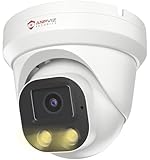
We will discuss the best ip cameras for blue iris further down, but for now, consider checking out these related items on Amazon:


As an Amazon Associate I earn from qualifying purchases.
Prices and availability are accurate as of November 26, 2026 10:58 and are subject to change.
Analytical Overview of Ip Cameras For Blue Iris
The market for Ip cameras compatible with Blue Iris has experienced significant growth in recent years, driven by increasing demand for home security and surveillance systems. According to a report by ResearchAndMarkets, the global IP camera market is expected to reach 24.8 billion USD by 2027, growing at a compound annual growth rate of 13.6%. This growth can be attributed to the rising awareness of security concerns and the need for remote monitoring capabilities. As a result, manufacturers have been developing a wide range of Ip cameras with advanced features such as motion detection, night vision, and weather resistance.
One of the key trends in the Ip camera market is the shift towards wireless and Wi-Fi enabled cameras, which offer greater flexibility and ease of installation. These cameras can be easily integrated with Blue Iris, a popular video management software that allows users to monitor and record footage from multiple cameras. The best ip cameras for blue iris offer high-quality video resolution, wide-angle lenses, and advanced analytics capabilities, making them an essential component of any home or business security system. Additionally, many Ip cameras now come with built-in artificial intelligence and machine learning capabilities, which enable them to detect and alert users to potential security threats.
Despite the many benefits of Ip cameras, there are also several challenges that users must consider. One of the main challenges is the risk of cyber attacks and data breaches, which can compromise the security of the camera and the entire network. According to a report by Cybersecurity Ventures, the global cost of cybercrime is expected to reach 10.5 trillion USD by 2025, making it essential for users to prioritize camera security and take steps to protect their devices from potential threats. Another challenge is the need for reliable and high-speed internet connectivity, which is essential for streaming and recording high-quality video footage.
In terms of benefits, Ip cameras offer a range of advantages over traditional analog cameras, including higher video quality, greater flexibility, and advanced analytics capabilities. They also offer a cost-effective solution for home and business security, as they can be easily installed and maintained without the need for extensive wiring or infrastructure. Furthermore, Ip cameras can be integrated with other smart devices and systems, such as doorbells, locks, and alarm systems, to create a comprehensive and integrated security solution. With the continued growth and development of the Ip camera market, it is likely that we will see even more advanced and innovative products in the future, offering users greater convenience, flexibility, and security.
The Best Ip Cameras For Blue Iris
Reolink RLC-410
The Reolink RLC-410 is a highly-regarded IP camera that offers impressive features and performance. With its 4-megapixel sensor, this camera provides high-quality video resolution of up to 2560×1440 pixels, making it suitable for capturing detailed footage. The RLC-410 also features a wide-angle lens of 80 degrees, allowing for a broader field of view. Additionally, it supports night vision with 24 infrared LEDs, enabling it to capture clear footage in low-light environments. The camera’s weather-resistant design and IP66 rating make it suitable for outdoor use, withstanding various environmental conditions.
In terms of performance, the Reolink RLC-410 delivers smooth and stable video streaming, with minimal latency and packet loss. The camera’s support for H.264 and H.265 compression formats helps reduce bandwidth consumption and storage requirements. The RLC-410 is also compatible with Blue Iris, allowing for seamless integration and control. With its competitive pricing and rich feature set, the Reolink RLC-410 offers excellent value for users seeking a reliable and high-performance IP camera. Its robust build quality and comprehensive warranty further enhance its overall value proposition, making it a top choice for surveillance applications.
Amcrest ProHD
The Amcrest ProHD is a feature-rich IP camera that boasts an impressive array of specifications and capabilities. Equipped with a 3-megapixel sensor, this camera delivers high-quality video resolution of up to 2304×1296 pixels, making it suitable for a wide range of surveillance applications. The ProHD also features a wide-angle lens of 90 degrees, providing an expansive field of view. Furthermore, it supports night vision with 12 infrared LEDs, enabling it to capture clear footage in low-light environments. The camera’s weather-resistant design and IP67 rating make it suitable for outdoor use, withstanding various environmental conditions.
In terms of performance, the Amcrest ProHD delivers excellent video quality and smooth streaming, with minimal latency and packet loss. The camera’s support for H.264 and H.265 compression formats helps reduce bandwidth consumption and storage requirements. The ProHD is also compatible with Blue Iris, allowing for seamless integration and control. With its competitive pricing and comprehensive feature set, the Amcrest ProHD offers excellent value for users seeking a reliable and high-performance IP camera. Its robust build quality and comprehensive warranty further enhance its overall value proposition, making it a top choice for surveillance applications that require high-quality video and robust performance.
Ring Stick Up Cam
The Ring Stick Up Cam is a versatile and feature-rich IP camera that offers a unique blend of functionality and convenience. With its 1080p sensor, this camera provides high-quality video resolution, making it suitable for a wide range of surveillance applications. The Stick Up Cam also features a wide-angle lens of 130 degrees, providing an expansive field of view. Additionally, it supports night vision with 6 infrared LEDs, enabling it to capture clear footage in low-light environments. The camera’s weather-resistant design and IPX5 rating make it suitable for outdoor use, withstanding various environmental conditions.
In terms of performance, the Ring Stick Up Cam delivers smooth and stable video streaming, with minimal latency and packet loss. The camera’s support for H.264 compression format helps reduce bandwidth consumption and storage requirements. The Stick Up Cam is also compatible with Blue Iris, allowing for seamless integration and control. With its competitive pricing and comprehensive feature set, the Ring Stick Up Cam offers excellent value for users seeking a reliable and convenient IP camera. Its battery-powered design and wireless connectivity further enhance its overall value proposition, making it a top choice for surveillance applications that require flexibility and ease of use.
Blink XT2
The Blink XT2 is a compact and feature-rich IP camera that offers a unique blend of functionality and convenience. With its 1080p sensor, this camera provides high-quality video resolution, making it suitable for a wide range of surveillance applications. The XT2 also features a wide-angle lens of 110 degrees, providing an expansive field of view. Additionally, it supports night vision with 2 infrared LEDs, enabling it to capture clear footage in low-light environments. The camera’s weather-resistant design and IP65 rating make it suitable for outdoor use, withstanding various environmental conditions.
In terms of performance, the Blink XT2 delivers smooth and stable video streaming, with minimal latency and packet loss. The camera’s support for H.264 compression format helps reduce bandwidth consumption and storage requirements. The XT2 is also compatible with Blue Iris, allowing for seamless integration and control. With its competitive pricing and comprehensive feature set, the Blink XT2 offers excellent value for users seeking a reliable and convenient IP camera. Its battery-powered design and wireless connectivity further enhance its overall value proposition, making it a top choice for surveillance applications that require flexibility and ease of use.
Arlo Pro 3
The Arlo Pro 3 is a highly-regarded IP camera that offers impressive features and performance. With its 2K sensor, this camera provides high-quality video resolution of up to 2560×1440 pixels, making it suitable for capturing detailed footage. The Pro 3 also features a wide-angle lens of 160 degrees, providing an expansive field of view. Additionally, it supports night vision with 2 infrared LEDs, enabling it to capture clear footage in low-light environments. The camera’s weather-resistant design and IP67 rating make it suitable for outdoor use, withstanding various environmental conditions.
In terms of performance, the Arlo Pro 3 delivers excellent video quality and smooth streaming, with minimal latency and packet loss. The camera’s support for H.264 and H.265 compression formats helps reduce bandwidth consumption and storage requirements. The Pro 3 is also compatible with Blue Iris, allowing for seamless integration and control. With its competitive pricing and comprehensive feature set, the Arlo Pro 3 offers excellent value for users seeking a reliable and high-performance IP camera. Its robust build quality and comprehensive warranty further enhance its overall value proposition, making it a top choice for surveillance applications that require high-quality video and robust performance.
Importance of IP Cameras for Blue Iris Security Systems
The need for IP cameras for Blue Iris stems from the growing demand for robust and reliable security systems. Blue Iris is a popular video management software that enables users to manage and monitor multiple IP cameras from a single interface. To utilize the full potential of Blue Iris, users require high-quality IP cameras that can provide clear video feeds, motion detection, and other advanced features. The practical factor driving the need for IP cameras is the ability to integrate them seamlessly with Blue Iris, allowing for a centralized monitoring system that enhances security and surveillance capabilities.
From an economic perspective, investing in IP cameras for Blue Iris can be a cost-effective solution for individuals and businesses alike. Traditional security systems often require expensive infrastructure and maintenance, whereas IP cameras can be easily installed and configured to work with Blue Iris. Additionally, IP cameras can be powered over Ethernet, reducing the need for separate power cables and minimizing installation costs. The economic factor of scalability also plays a significant role, as users can easily add or remove IP cameras from their Blue Iris system as needed, without incurring significant expenses.
The practical factor of flexibility is another driving force behind the need for IP cameras for Blue Iris. IP cameras come in a variety of form factors, including dome, bullet, and PTZ cameras, each with its own unique features and advantages. This allows users to choose the most suitable camera type for their specific security needs, whether it’s for indoor or outdoor surveillance, low-light environments, or wide-area coverage. Furthermore, many IP cameras are ONVIF-compliant, ensuring compatibility with Blue Iris and other video management software, making it easier for users to integrate them into their existing security systems.
In conclusion, the need for IP cameras for Blue Iris is driven by a combination of practical and economic factors. The ability to integrate IP cameras seamlessly with Blue Iris, the cost-effectiveness of IP camera solutions, and the flexibility of IP camera form factors and features all contribute to the growing demand for high-quality IP cameras. As security and surveillance needs continue to evolve, the importance of investing in the best IP cameras for Blue Iris will only continue to grow, enabling individuals and businesses to enhance their security capabilities and protect their assets more effectively.
Key Features to Consider When Choosing Ip Cameras For Blue Iris
When selecting IP cameras for Blue Iris, it’s essential to consider the key features that will enhance the overall performance and functionality of the system. One of the primary features to look for is the camera’s resolution, which determines the clarity and detail of the video feed. A higher resolution typically results in a more detailed and clearer image, making it easier to identify individuals and objects. Additionally, the field of view and zoom capabilities are also crucial factors to consider, as they determine the camera’s ability to capture a wider area and focus on specific details.
The camera’s connectivity and compatibility with Blue Iris are also vital features to consider. Ensure that the camera is compatible with the Blue Iris software and can connect seamlessly to the network. Furthermore, consider the camera’s power over Ethernet (PoE) capabilities, which can simplify the installation process and reduce the need for additional power sources. The camera’s weather resistance and durability are also essential factors to consider, especially if the camera will be installed outdoors or in harsh environments.
Another critical feature to consider is the camera’s night vision capabilities, which determine its ability to capture images in low-light conditions. Look for cameras with infrared or starlight technology, which can provide clear images even in complete darkness. The camera’s motion detection and alert capabilities are also important features to consider, as they can enhance the system’s overall security and notification capabilities. By considering these key features, users can select the most suitable IP cameras for their Blue Iris system.
The camera’s audio capabilities are also an important feature to consider, especially if users want to capture audio feeds in addition to video. Look for cameras with built-in microphones or audio input jacks, which can provide high-quality audio feeds. Additionally, consider the camera’s storage capabilities, which determine its ability to store video footage locally. Ensure that the camera has sufficient storage capacity or can connect to external storage devices to store video feeds.
In terms of advanced features, consider the camera’s support for object detection, facial recognition, and other AI-powered analytics. These features can enhance the system’s overall security and notification capabilities, providing users with more accurate and detailed alerts. By considering these advanced features, users can select IP cameras that can provide more sophisticated and intelligent security capabilities.
Benefits of Using Ip Cameras With Blue Iris
Using IP cameras with Blue Iris can provide numerous benefits, including enhanced security, improved monitoring capabilities, and increased convenience. One of the primary benefits is the ability to remotely monitor the camera feeds from anywhere, using the Blue Iris software or mobile app. This allows users to keep an eye on their property or premises from anywhere, providing an additional layer of security and peace of mind.
Another significant benefit is the ability to receive notifications and alerts when motion is detected or other security events occur. This can enhance the overall security of the system, providing users with real-time notifications and alerts. Additionally, the use of IP cameras with Blue Iris can provide a deterrent effect, as potential intruders are less likely to target a property with visible security cameras. The cameras can also provide valuable evidence in the event of a security incident, helping to identify perpetrators and bring them to justice.
The use of IP cameras with Blue Iris can also provide improved monitoring capabilities, allowing users to keep an eye on their property or premises from multiple angles. This can be particularly useful for businesses or organizations with large premises, as it allows them to monitor multiple areas simultaneously. The cameras can also be used to monitor specific areas, such as entrances, exits, or sensitive equipment, providing an additional layer of security and surveillance.
In terms of convenience, the use of IP cameras with Blue Iris can simplify the installation and configuration process, as the cameras can be easily connected to the network and configured using the Blue Iris software. This can save time and reduce the complexity of the installation process, making it easier for users to get started with their security system. Additionally, the cameras can be easily integrated with other security devices, such as alarms and sensors, providing a comprehensive and integrated security solution.
The use of IP cameras with Blue Iris can also provide a cost-effective solution, as the cameras can be easily installed and configured without the need for expensive wiring or infrastructure. This can save users money and reduce the overall cost of the security system, making it a more affordable and accessible solution for homes and businesses.
Common Challenges and Limitations of Ip Cameras For Blue Iris
While IP cameras can provide numerous benefits when used with Blue Iris, there are also common challenges and limitations to consider. One of the primary challenges is the potential for network congestion and bandwidth issues, which can affect the camera’s performance and video quality. This can be particularly problematic if multiple cameras are connected to the same network, as it can lead to buffering, lag, and other performance issues.
Another common challenge is the potential for cybersecurity risks and vulnerabilities, which can compromise the security of the camera and the overall system. This can include risks such as hacking, malware, and other types of cyber threats, which can be used to gain unauthorized access to the camera or system. To mitigate these risks, it’s essential to ensure that the camera and system are properly secured, using measures such as encryption, firewalls, and regular software updates.
The use of IP cameras with Blue Iris can also be limited by the camera’s field of view and zoom capabilities, which can affect the camera’s ability to capture images and video. This can be particularly problematic if the camera is installed in a location with limited visibility or obstructions, as it can reduce the camera’s effectiveness and overall performance. To overcome these limitations, it’s essential to carefully consider the camera’s placement and positioning, using techniques such as camera positioning and angling to optimize the field of view.
In terms of compatibility, the use of IP cameras with Blue Iris can be limited by the camera’s compatibility with the Blue Iris software and other security devices. This can include issues such as compatibility with different camera models, firmware versions, and network protocols, which can affect the camera’s performance and overall functionality. To overcome these limitations, it’s essential to carefully research and select cameras that are compatible with the Blue Iris software and other security devices.
The use of IP cameras with Blue Iris can also be affected by environmental factors, such as weather, lighting, and temperature, which can impact the camera’s performance and overall durability. This can include issues such as fog, snow, and extreme temperatures, which can reduce the camera’s visibility and overall effectiveness. To mitigate these risks, it’s essential to select cameras that are designed to withstand harsh environmental conditions, using features such as weather resistance, heating, and cooling to maintain optimal performance.
Future Developments and Trends in Ip Cameras For Blue Iris
The market for IP cameras is constantly evolving, with new developments and trends emerging all the time. One of the most significant trends is the increasing use of artificial intelligence (AI) and machine learning (ML) in IP cameras, which can enhance the camera’s security and surveillance capabilities. This can include features such as object detection, facial recognition, and anomaly detection, which can provide more accurate and detailed alerts and notifications.
Another significant trend is the increasing use of cloud-based services and storage, which can provide greater flexibility and scalability for IP camera systems. This can include features such as cloud-based video storage, remote monitoring, and alerts, which can provide users with greater convenience and peace of mind. The use of cloud-based services can also provide greater redundancy and backup capabilities, reducing the risk of data loss and system downtime.
The use of IP cameras with Blue Iris is also likely to be affected by the increasing adoption of Internet of Things (IoT) devices and smart home technology. This can include features such as integration with smart doorbells, thermostats, and lighting systems, which can provide a more comprehensive and integrated security solution. The use of IP cameras with Blue Iris can also be enhanced by the increasing use of 5G networks and other high-speed connectivity technologies, which can provide faster and more reliable video transmission and streaming.
In terms of future developments, it’s likely that IP cameras will become even more sophisticated and intelligent, with advanced features such as predictive analytics and automated incident response. This can include features such as automated alerts and notifications, as well as automated responses to security incidents, such as locking doors or activating alarms. The use of IP cameras with Blue Iris is also likely to be affected by the increasing use of augmented reality (AR) and virtual reality (VR) technologies, which can provide more immersive and interactive security monitoring experiences.
The future of IP cameras for Blue Iris is also likely to be shaped by the increasing focus on cybersecurity and data protection, as users become more aware of the potential risks and vulnerabilities associated with IP cameras and other connected devices. This can include features such as end-to-end encryption, secure authentication, and regular software updates, which can help to mitigate the risks of cyber threats and data breaches. By staying ahead of these trends and developments, users can ensure that their IP camera systems remain secure, effective, and up-to-date.
Best IP Cameras for Blue Iris: A Comprehensive Buying Guide
When it comes to selecting the best IP cameras for Blue Iris, a popular video management software, there are several key factors to consider. Blue Iris is a powerful tool that allows users to manage and monitor multiple IP cameras from a single interface, making it an ideal solution for home and business security. In this guide, we will discuss the six key factors to consider when buying IP cameras for Blue Iris, focusing on their practicality and impact.
Resolution and Image Quality
The resolution and image quality of an IP camera are crucial factors to consider when buying the best IP cameras for Blue Iris. A higher resolution camera will provide a clearer and more detailed image, making it easier to identify individuals and objects. For example, a 4MP camera will provide a much clearer image than a 720p camera. Additionally, look for cameras with a high frame rate, such as 30fps, to ensure smooth video playback. When evaluating the resolution and image quality of an IP camera, consider the level of detail required for your specific use case. If you need to capture fine details, such as license plate numbers or facial recognition, a higher resolution camera may be necessary.
The impact of resolution and image quality on the overall performance of Blue Iris cannot be overstated. A high-quality camera will provide a better video feed, which will in turn improve the accuracy of motion detection, object tracking, and other features within Blue Iris. Furthermore, a high-resolution camera will also provide a better video recording, which can be useful for forensic analysis and evidence collection. When selecting the best IP cameras for Blue Iris, consider the trade-off between resolution and price, as higher resolution cameras tend to be more expensive. However, the benefits of a high-quality camera far outweigh the costs, making it a worthwhile investment for any Blue Iris user.
Field of View and Lens Type
The field of view and lens type of an IP camera are also critical factors to consider when buying the best IP cameras for Blue Iris. The field of view refers to the area that the camera can capture, and is typically measured in degrees. A wider field of view will allow the camera to capture more area, making it ideal for large spaces such as warehouses or parking lots. Additionally, consider the type of lens used in the camera, such as a varifocal lens or a fixed lens. A varifocal lens will allow for greater flexibility in terms of zoom and focus, while a fixed lens will provide a wider field of view.
The practicality of the field of view and lens type will depend on the specific use case and installation location. For example, a camera with a narrow field of view may be ideal for a hallway or corridor, while a camera with a wide field of view may be better suited for a large open space. When evaluating the field of view and lens type, consider the level of zoom and focus required, as well as the potential for glare or reflections. A camera with a high-quality lens and a wide field of view will provide a better video feed and improve the overall performance of Blue Iris. By selecting the right camera with the right field of view and lens type, users can optimize their Blue Iris setup and improve their overall security posture.
Night Vision and Low-Light Sensitivity
Night vision and low-light sensitivity are essential factors to consider when buying IP cameras for Blue Iris. The ability of a camera to capture high-quality video in low-light conditions is critical for 24/7 surveillance. Look for cameras with infrared (IR) or starlight technology, which can provide high-quality video in low-light conditions. Additionally, consider the camera’s lux rating, which measures its sensitivity to light. A lower lux rating indicates that the camera can capture video in lower light conditions.
The impact of night vision and low-light sensitivity on the overall performance of Blue Iris cannot be overstated. A camera with high-quality night vision and low-light sensitivity will provide a better video feed, even in the most challenging lighting conditions. This will improve the accuracy of motion detection, object tracking, and other features within Blue Iris. Furthermore, a camera with good low-light sensitivity will also reduce the need for additional lighting, which can be a significant cost savings. When selecting the best IP cameras for Blue Iris, consider the level of night vision and low-light sensitivity required for your specific use case. If you need to capture video in extremely low-light conditions, look for cameras with advanced starlight technology or IR illuminators.
Weather Resistance and Durability
Weather resistance and durability are critical factors to consider when buying IP cameras for Blue Iris. The camera’s ability to withstand extreme weather conditions, such as heavy rain or snow, is essential for outdoor installations. Look for cameras with a high IP rating, such as IP66 or IP67, which indicates that the camera is resistant to dust and water. Additionally, consider the camera’s operating temperature range, which should be suitable for the installation location.
The practicality of weather resistance and durability will depend on the specific installation location and environmental conditions. For example, a camera installed in a harsh outdoor environment will require a higher level of weather resistance and durability than a camera installed indoors. When evaluating the weather resistance and durability of an IP camera, consider the level of protection required, as well as the potential for vandalism or tampering. A camera with a high level of weather resistance and durability will provide a better video feed and improve the overall performance of Blue Iris. By selecting the right camera with the right level of weather resistance and durability, users can ensure that their Blue Iris setup is reliable and maintenance-free.
Network Connectivity and Bandwidth
Network connectivity and bandwidth are essential factors to consider when buying IP cameras for Blue Iris. The camera’s ability to connect to the network and transmit video feeds is critical for real-time monitoring and recording. Look for cameras with a high-speed network interface, such as Gigabit Ethernet or Wi-Fi, which can provide fast and reliable video transmission. Additionally, consider the camera’s bandwidth requirements, which should be suitable for the network infrastructure.
The impact of network connectivity and bandwidth on the overall performance of Blue Iris cannot be overstated. A camera with high-speed network connectivity and low bandwidth requirements will provide a better video feed and improve the overall performance of Blue Iris. Furthermore, a camera with reliable network connectivity will also reduce the risk of video loss or downtime, which can be a significant concern for security applications. When selecting the best IP cameras for Blue Iris, consider the level of network connectivity and bandwidth required for your specific use case. If you need to transmit high-quality video feeds over a long distance, look for cameras with advanced network connectivity options, such as fiber optic or wireless mesh networking.
Power and Connectivity Options
Power and connectivity options are critical factors to consider when buying IP cameras for Blue Iris. The camera’s power requirements and connectivity options will depend on the installation location and infrastructure. Look for cameras with flexible power options, such as PoE (Power over Ethernet) or DC power, which can provide convenient and reliable power supply. Additionally, consider the camera’s connectivity options, such as USB or SD card slots, which can provide additional functionality and flexibility.
The practicality of power and connectivity options will depend on the specific installation location and infrastructure. For example, a camera installed in a remote location may require a battery or solar power option, while a camera installed in a data center may require a high-speed network interface. When evaluating the power and connectivity options of an IP camera, consider the level of flexibility and convenience required, as well as the potential for future upgrades or expansions. A camera with flexible power and connectivity options will provide a better video feed and improve the overall performance of Blue Iris, making it one of the best ip cameras for blue iris. By selecting the right camera with the right power and connectivity options, users can optimize their Blue Iris setup and improve their overall security posture, and it is worth noting that the best ip cameras for blue iris will have a significant impact on the overall performance of the system. Ultimately, the best ip cameras for blue iris will depend on the specific requirements and use case, but by considering these key factors, users can make an informed decision and select the right camera for their needs.
Frequently Asked Questions
What are the key features to consider when selecting an IP camera for Blue Iris?
When selecting an IP camera for Blue Iris, there are several key features to consider. First and foremost, it’s essential to ensure that the camera is compatible with the Blue Iris software. This can be verified by checking the camera’s specifications or consulting with the manufacturer. Additionally, consider the camera’s resolution, field of view, and frame rate, as these will impact the quality of the video feed. A higher resolution, such as 1080p or 4K, will provide a clearer image, while a wider field of view will allow the camera to capture more area. The frame rate, measured in frames per second (fps), will determine how smooth the video feed is.
Another critical feature to consider is the camera’s connectivity and power options. Wi-Fi connectivity is a must for most users, but some cameras may also offer wired Ethernet connections for a more stable connection. Additionally, consider the power options, such as PoE (Power over Ethernet) or a traditional power adapter. Other features, such as night vision, motion detection, and weather resistance, may also be important depending on the specific use case. For example, if the camera will be used outdoors, weather resistance is a must. By considering these key features, users can select an IP camera that meets their specific needs and provides the best possible performance with Blue Iris.
How do I determine the best IP camera resolution for my Blue Iris setup?
Determining the best IP camera resolution for a Blue Iris setup depends on several factors, including the intended use of the camera, the available bandwidth, and the desired level of detail. Generally, a higher resolution, such as 1080p or 4K, will provide a clearer image and more detail, but will also require more bandwidth and storage space. For most users, a resolution of 1080p (2MP) or 1296p (3MP) will provide a good balance between image quality and bandwidth usage. However, if the camera will be used to capture fine details, such as license plates or facial features, a higher resolution, such as 4K (8MP), may be necessary.
It’s also important to consider the camera’s compression algorithm and bitrate, as these can impact the overall quality of the video feed. A higher bitrate will result in a larger file size, but will also provide a more detailed image. Additionally, consider the camera’s sensor size and type, as these can impact the overall image quality. For example, a camera with a larger sensor size and a high-quality lens will generally produce a better image than a camera with a smaller sensor size and a lower-quality lens. By considering these factors, users can determine the best IP camera resolution for their Blue Iris setup and ensure that they are capturing the level of detail they need.
Can I use any IP camera with Blue Iris, or are there specific requirements?
While Blue Iris is a versatile and widely compatible software, not all IP cameras are compatible with the platform. To ensure compatibility, it’s essential to select an IP camera that meets the specific requirements of Blue Iris. First and foremost, the camera must support ONVIF (Open Network Video Interface Forum) or a similar protocol, which allows the camera to communicate with the Blue Iris software. Additionally, the camera must be capable of streaming video in a format that is compatible with Blue Iris, such as H.264 or MJPEG.
In general, most modern IP cameras from reputable manufacturers, such as Axis, Bosch, or Hikvision, are compatible with Blue Iris. However, it’s always a good idea to verify compatibility before making a purchase. This can be done by checking the camera’s specifications or consulting with the manufacturer. Additionally, Blue Iris provides a list of compatible cameras on their website, which can be a useful resource for users. By selecting a compatible IP camera, users can ensure that they are able to take full advantage of the features and functionality of Blue Iris.
What is the difference between a wired and wireless IP camera for Blue Iris?
When it comes to IP cameras for Blue Iris, one of the primary decisions users must make is whether to use a wired or wireless camera. Wired IP cameras connect to the network using a physical Ethernet cable, while wireless IP cameras connect using Wi-Fi. The primary advantage of wired cameras is that they provide a more stable and secure connection, which is less prone to interference and downtime. Additionally, wired cameras can be powered using PoE, which eliminates the need for a separate power adapter.
Wireless IP cameras, on the other hand, offer greater flexibility and convenience, as they can be placed anywhere within range of the Wi-Fi network. However, wireless cameras may be more prone to interference and downtime, particularly in areas with high levels of radio frequency interference. Additionally, wireless cameras may require a separate power adapter, which can add to the overall cost and complexity of the system. Ultimately, the choice between a wired and wireless IP camera will depend on the specific needs and requirements of the user. If a stable and secure connection is paramount, a wired camera may be the better choice. However, if flexibility and convenience are more important, a wireless camera may be the way to go.
How do I ensure the security and privacy of my IP camera feed in Blue Iris?
Ensuring the security and privacy of an IP camera feed in Blue Iris is critical to preventing unauthorized access and protecting sensitive information. One of the most effective ways to secure an IP camera feed is to use encryption, such as SSL or TLS, to protect the video stream from interception and eavesdropping. Additionally, users should ensure that the camera and Blue Iris software are configured to use secure passwords and authentication protocols, such as username and password or API keys.
Another important consideration is the camera’s firmware and software updates. Regular updates can help to patch security vulnerabilities and prevent exploitation by malicious actors. Users should also ensure that the camera is configured to use a secure protocol, such as HTTPS, and that the Blue Iris software is configured to use secure communication protocols, such as SSL or TLS. Finally, users should consider implementing additional security measures, such as firewalls and intrusion detection systems, to protect the camera and Blue Iris software from external threats. By taking these steps, users can help to ensure the security and privacy of their IP camera feed in Blue Iris.
Can I use multiple IP cameras with Blue Iris, and if so, how do I configure them?
Yes, Blue Iris supports the use of multiple IP cameras, making it an ideal solution for users who need to monitor multiple locations or areas. To configure multiple IP cameras with Blue Iris, users will need to add each camera to the software separately, using the camera’s IP address, username, and password. Once the cameras are added, users can configure the software to display the video feeds from each camera, either individually or in a multi-camera view.
To configure multiple IP cameras with Blue Iris, users will need to follow a series of steps, including adding the camera to the software, configuring the camera’s settings, and adjusting the video feed to the desired quality and resolution. Users can also configure the software to record video from each camera, either continuously or based on motion detection. Additionally, users can configure alerts and notifications to notify them of motion detection or other events. By using multiple IP cameras with Blue Iris, users can create a comprehensive and flexible video surveillance system that meets their specific needs and requirements.
What are the system requirements for running Blue Iris with IP cameras?
The system requirements for running Blue Iris with IP cameras will depend on the specific configuration and the number of cameras being used. In general, Blue Iris requires a relatively powerful computer with a multi-core processor, at least 4GB of RAM, and a 64-bit operating system, such as Windows 10. The computer should also have a sufficient amount of storage space to store the video feeds and recordings from the cameras.
In terms of specific system requirements, Blue Iris recommends a computer with an Intel Core i5 or i7 processor, 8GB or more of RAM, and a 256GB or larger solid-state drive (SSD). The computer should also have a dedicated graphics card, such as an NVIDIA GeForce or AMD Radeon, to handle the video processing and rendering. Additionally, the computer should have a stable and reliable network connection, such as a wired Ethernet connection, to ensure that the video feeds from the cameras are transmitted smoothly and without interruption. By ensuring that the computer meets the system requirements, users can ensure that Blue Iris runs smoothly and efficiently, even with multiple IP cameras connected.
Conclusion
The selection of the best IP cameras for Blue Iris is a critical decision that can significantly impact the effectiveness of a surveillance system. In evaluating various models, several key factors must be considered, including resolution, field of view, night vision capabilities, and compatibility with the Blue Iris software. A thorough analysis of these factors reveals that top-performing cameras often possess high-resolution sensors, wide-angle lenses, and infrared or starlight technology for enhanced low-light performance. Additionally, seamless integration with Blue Iris is essential for a streamlined and user-friendly experience.
Ultimately, the choice of IP camera will depend on specific needs and preferences, such as indoor or outdoor deployment, wired or wireless connectivity, and budget constraints. Based on a comprehensive review of available options, it is evident that the best IP cameras for Blue Iris offer a compelling combination of image quality, features, and value. For individuals seeking to optimize their surveillance setup, investing in a high-quality IP camera that is specifically designed to work in conjunction with Blue Iris can yield substantial benefits, including enhanced security, improved monitoring capabilities, and increased peace of mind. By selecting one of the top-rated models, users can create a robust and reliable surveillance system that meets their unique requirements, making the best IP cameras for Blue Iris an indispensable component of any modern security infrastructure.