Advancements in technology have led to a surge in demand for portable and versatile devices, with many users seeking alternatives to traditional laptops. As a result, tablets have become increasingly popular, offering a unique blend of functionality and convenience. When it comes to selecting the ideal device, users often find themselves overwhelmed by the numerous options available. By examining the key features and specifications of various models, individuals can make informed decisions that cater to their specific needs.
For those invested in the Microsoft ecosystem, finding the best windows tablets is crucial for seamless integration with existing devices and software. A thorough analysis of the market reveals a wide range of options, each with its strengths and weaknesses. By considering factors such as processor speed, display quality, and battery life, users can narrow down their search and identify the perfect device. Ultimately, a well-informed purchase decision can significantly enhance productivity and overall user experience.
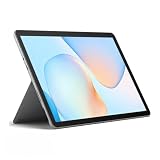
We will discuss the best windows tablets further down, but for now, consider checking out these related items on Amazon:



As an Amazon Associate I earn from qualifying purchases.
Prices and availability are accurate as of November 23, 2026 06:06 and are subject to change.
Analytical Overview of Windows Tablets
Windows tablets have been gaining popularity in recent years, with many users opting for the flexibility and portability they offer. According to a report by Statista, the global tablet market shipped around 143 million units in 2020, with Windows tablets accounting for a significant share of this market. One of the key trends in the Windows tablet market is the increasing demand for devices with improved performance, longer battery life, and enhanced security features. As a result, manufacturers have been focusing on developing devices that meet these requirements, with many of the best windows tablets now offering up to 10 hours of battery life and advanced security features such as fingerprint recognition and facial recognition.
The benefits of Windows tablets are numerous, with one of the main advantages being their ability to run full versions of Microsoft Office and other productivity software. This makes them an ideal choice for business users and students who need to work on the go. Additionally, Windows tablets often come with a range of connectivity options, including USB ports, HDMI ports, and SD card slots, making it easy to connect to other devices and transfer files. According to a survey by Microsoft, 70% of business users prefer Windows tablets due to their ease of use and compatibility with existing software and hardware.
Despite the many benefits of Windows tablets, there are also some challenges that users may face. One of the main challenges is the limited availability of apps compared to other tablet operating systems such as iOS and Android. However, this gap is narrowing, with many popular apps now available for Windows tablets. Another challenge is the complexity of the Windows operating system, which can be overwhelming for some users. Nevertheless, manufacturers have been working to simplify the user interface and make it more intuitive, with many devices now offering a range of tutorials and guides to help users get started.
In terms of market trends, the Windows tablet market is expected to continue growing in the coming years, driven by increasing demand for mobile devices and the need for more flexible and portable computing solutions. According to a report by IDC, the global tablet market is expected to reach 157 million units by 2025, with Windows tablets accounting for a significant share of this growth. With their unique combination of performance, portability, and productivity, Windows tablets are likely to remain a popular choice for many users, offering a range of benefits and features that make them an essential tool for both personal and professional use.
Best Windows Tablets – Reviewed
Microsoft Surface Go
The Microsoft Surface Go is a compact and lightweight tablet designed for productivity and entertainment. It features a 10-inch PixelSense display with a resolution of 1800 x 1200 pixels, providing crisp and clear visuals. The device is powered by an Intel Pentium Gold processor, 4GB or 8GB of RAM, and 64GB or 128GB of storage, offering a balance between performance and affordability. In terms of connectivity, the Surface Go supports Wi-Fi, Bluetooth, and USB-C, making it easy to connect to peripherals and accessories. The tablet also features a durable design with a magnesium alloy body and a kickstand for comfortable viewing.
The Microsoft Surface Go offers a range of features that make it an attractive option for users who want a portable and versatile device. The tablet weighs just 1.15 pounds and measures 0.33 inches thick, making it easy to carry around. It also features a long-lasting battery that provides up to 9 hours of video playback, allowing users to enjoy their favorite content on the go. Additionally, the Surface Go supports the Surface Pen and Surface Keyboard, making it a great option for users who want to create content or work on documents. Overall, the Microsoft Surface Go offers a great combination of performance, portability, and value, making it a solid choice for users who want a compact and capable Windows tablet.
Lenovo ThinkPad X1 Tablet
The Lenovo ThinkPad X1 Tablet is a powerful and feature-rich device designed for business users and professionals. It features a 13-inch 3K display with a resolution of 3000 x 2000 pixels, providing vibrant and detailed visuals. The device is powered by an Intel Core i5 or i7 processor, up to 16GB of RAM, and up to 1TB of storage, offering exceptional performance and productivity. In terms of connectivity, the ThinkPad X1 Tablet supports Wi-Fi, Bluetooth, and USB-C, making it easy to connect to peripherals and accessories. The tablet also features a durable design with a magnesium alloy body and a kickstand for comfortable viewing.
The Lenovo ThinkPad X1 Tablet offers a range of features that make it an attractive option for business users and professionals. The tablet features a range of security features, including a fingerprint reader, facial recognition, and a Trusted Platform Module (TPM), providing enhanced protection for sensitive data. It also supports the Lenovo Pen Pro and the ThinkPad Keyboard, making it a great option for users who want to create content or work on documents. Additionally, the ThinkPad X1 Tablet features a long-lasting battery that provides up to 9.5 hours of video playback, allowing users to enjoy their favorite content on the go. Overall, the Lenovo ThinkPad X1 Tablet offers a great combination of performance, productivity, and security, making it a solid choice for business users and professionals.
Asus ZenPad 10
The Asus ZenPad 10 is a budget-friendly tablet designed for entertainment and casual use. It features a 10.1-inch display with a resolution of 1280 x 800 pixels, providing clear and vibrant visuals. The device is powered by a MediaTek processor, 2GB or 3GB of RAM, and 16GB or 32GB of storage, offering a balance between performance and affordability. In terms of connectivity, the ZenPad 10 supports Wi-Fi, Bluetooth, and USB, making it easy to connect to peripherals and accessories. The tablet also features a durable design with a aluminum alloy body and a non-slip grip for comfortable handling.
The Asus ZenPad 10 offers a range of features that make it an attractive option for users who want a budget-friendly tablet for entertainment and casual use. The tablet features a range of entertainment-focused features, including a built-in speaker system and support for 4K video playback, providing an immersive audio-visual experience. It also supports the Asus Pen and the ZenPad Keyboard, making it a great option for users who want to create content or work on documents. Additionally, the ZenPad 10 features a long-lasting battery that provides up to 13 hours of video playback, allowing users to enjoy their favorite content on the go. Overall, the Asus ZenPad 10 offers a great combination of performance, features, and value, making it a solid choice for users who want a budget-friendly Windows tablet.
Dell Latitude 7212
The Dell Latitude 7212 is a rugged and durable tablet designed for business users and professionals who work in harsh environments. It features a 11.6-inch display with a resolution of 1366 x 768 pixels, providing clear and vibrant visuals. The device is powered by an Intel Core i3 or i5 processor, up to 16GB of RAM, and up to 1TB of storage, offering exceptional performance and productivity. In terms of connectivity, the Latitude 7212 supports Wi-Fi, Bluetooth, and USB, making it easy to connect to peripherals and accessories. The tablet also features a range of security features, including a fingerprint reader and a Trusted Platform Module (TPM), providing enhanced protection for sensitive data.
The Dell Latitude 7212 offers a range of features that make it an attractive option for business users and professionals who work in harsh environments. The tablet features a range of durability-focused features, including a IP65 rating for dust and water resistance, and a MIL-STD-810G rating for ruggedness, providing enhanced protection against environmental hazards. It also supports the Dell Active Pen and the Latitude Keyboard, making it a great option for users who want to create content or work on documents. Additionally, the Latitude 7212 features a long-lasting battery that provides up to 12 hours of video playback, allowing users to enjoy their favorite content on the go. Overall, the Dell Latitude 7212 offers a great combination of performance, durability, and security, making it a solid choice for business users and professionals who work in harsh environments.
HP Elite x2 1012
The HP Elite x2 1012 is a powerful and feature-rich tablet designed for business users and professionals. It features a 12-inch display with a resolution of 1920 x 1280 pixels, providing vibrant and detailed visuals. The device is powered by an Intel Core i5 or i7 processor, up to 16GB of RAM, and up to 1TB of storage, offering exceptional performance and productivity. In terms of connectivity, the Elite x2 1012 supports Wi-Fi, Bluetooth, and USB-C, making it easy to connect to peripherals and accessories. The tablet also features a durable design with a aluminum alloy body and a kickstand for comfortable viewing.
The HP Elite x2 1012 offers a range of features that make it an attractive option for business users and professionals. The tablet features a range of security features, including a fingerprint reader, facial recognition, and a Trusted Platform Module (TPM), providing enhanced protection for sensitive data. It also supports the HP Active Pen and the Elite Keyboard, making it a great option for users who want to create content or work on documents. Additionally, the Elite x2 1012 features a long-lasting battery that provides up to 10 hours of video playback, allowing users to enjoy their favorite content on the go. Overall, the HP Elite x2 1012 offers a great combination of performance, productivity, and security, making it a solid choice for business users and professionals who want a powerful and feature-rich Windows tablet.
Why People Need to Buy Windows Tablets
The need to buy Windows tablets arises from the increasing demand for portable and versatile computing devices. Windows tablets offer a unique combination of power, functionality, and convenience, making them an essential tool for both personal and professional use. With the ability to run a wide range of applications, from productivity software to entertainment apps, Windows tablets provide users with the flexibility to work, play, and stay connected on the go. Whether it’s for taking notes, browsing the internet, or streaming media, Windows tablets have become an indispensable part of modern life.
From a practical perspective, Windows tablets offer several advantages over traditional laptops and desktops. For one, they are highly portable, allowing users to take them anywhere and use them in a variety of settings. They are also highly customizable, with users able to personalize their home screens, add widgets, and install apps to suit their needs. Additionally, Windows tablets often come with features such as touch screens, styluses, and cameras, making them ideal for creative tasks, note-taking, and communication. With the rise of remote work and online learning, Windows tablets have become an essential tool for staying productive and connected.
Economic factors also play a significant role in driving the demand for Windows tablets. For many users, Windows tablets offer a more affordable alternative to traditional laptops and desktops. They are often priced lower, making them more accessible to a wider range of consumers. Additionally, Windows tablets are highly energy-efficient, which can help reduce electricity costs and minimize the environmental impact of computing. Furthermore, with the ability to run a wide range of applications, Windows tablets can help users save money by reducing the need for separate devices, such as e-readers, gaming consoles, and cameras. By providing a single device that can perform multiple functions, Windows tablets offer a cost-effective solution for users who want to stay connected and productive.
The best Windows tablets on the market offer a range of features and specifications that cater to different user needs and budgets. From budget-friendly options with basic features to high-end models with advanced processors and graphics capabilities, there is a Windows tablet to suit every requirement. With the rise of 2-in-1 devices, which combine the functionality of a tablet and a laptop, users can now enjoy the benefits of both form factors in a single device. Whether it’s for work, play, or education, the best Windows tablets provide a powerful, versatile, and affordable solution for users who want to stay connected, productive, and entertained on the go. By investing in a Windows tablet, users can enjoy a range of benefits, from increased productivity and convenience to cost savings and improved overall computing experience.
Key Features to Consider When Buying a Windows Tablet
When purchasing a Windows tablet, it’s essential to consider the key features that will enhance your user experience. One of the critical factors to look out for is the processor speed, as it directly affects the device’s performance. A faster processor ensures seamless multitasking, efficient app performance, and reduced lag. Additionally, the amount of RAM and storage capacity are also crucial, as they determine how many applications you can run simultaneously and how much data you can store.
Another vital feature to consider is the display quality, including the screen size, resolution, and pixel density. A high-resolution display with excellent pixel density provides crisp and vibrant visuals, making it ideal for watching videos, browsing the web, and gaming. Furthermore, the battery life of the tablet is also an essential consideration, as it determines how long you can use the device without needing to recharge.
The connectivity options available on the tablet are also important, including Wi-Fi, Bluetooth, and USB ports. These features enable you to connect to the internet, transfer data, and connect peripherals such as keyboards and mice. Moreover, the operating system version and updates are critical, as they ensure you have access to the latest security patches, features, and software enhancements.
In terms of durability and build quality, it’s crucial to assess the tablet’s construction materials, weight, and dimensions. A well-built tablet with a sturdy design can withstand daily wear and tear, while a lightweight device makes it easy to carry around. The availability of accessories, such as cases, keyboards, and styluses, can also enhance the overall user experience.
The price of the tablet is also a significant consideration, as it determines the value for money you receive. While cheaper options may be tempting, they often compromise on key features, performance, and build quality. On the other hand, high-end tablets offer advanced features, superior performance, and premium build quality, but at a higher cost.
Windows Tablet vs. Android Tablet: Which One to Choose
The debate between Windows tablets and Android tablets has been ongoing, with each having its strengths and weaknesses. Windows tablets offer a more desktop-like experience, with the ability to run full-fledged Windows applications, including Microsoft Office and Adobe Photoshop. This makes them ideal for productivity, gaming, and content creation.
On the other hand, Android tablets are designed primarily for entertainment and media consumption, with a vast array of apps available on the Google Play Store. They are often cheaper than Windows tablets, with a wider range of devices available across different price points. However, Android tablets may not offer the same level of productivity and multitasking capabilities as Windows tablets.
When deciding between a Windows tablet and an Android tablet, it’s essential to consider your specific needs and preferences. If you require a device for work, education, or content creation, a Windows tablet may be the better choice. However, if you’re looking for a device primarily for entertainment, social media, and casual gaming, an Android tablet could be the way to go.
Another factor to consider is the ecosystem you’re already invested in. If you’re using a Windows desktop or laptop, a Windows tablet may be a more seamless choice, allowing you to share files, settings, and applications across devices. Similarly, if you’re using an Android smartphone, an Android tablet may be a more natural fit, enabling you to share content, contacts, and apps across devices.
Ultimately, the choice between a Windows tablet and an Android tablet depends on your individual needs, preferences, and ecosystem. By considering these factors, you can make an informed decision and choose the device that best suits your lifestyle and requirements.
Applications and Uses of Windows Tablets in Different Industries
Windows tablets have a wide range of applications and uses across various industries, including education, healthcare, finance, and retail. In education, Windows tablets are used for online learning, digital textbooks, and interactive classroom experiences. They enable students to access a vast array of educational resources, collaborate with peers, and engage with teachers in a more immersive and interactive way.
In healthcare, Windows tablets are used for patient registration, medical records management, and telemedicine services. They enable healthcare professionals to access patient information, diagnose conditions, and prescribe treatments more efficiently. Additionally, Windows tablets are used in finance for mobile point-of-sale systems, inventory management, and financial analysis. They enable businesses to process transactions, track inventory, and analyze financial data in real-time.
In retail, Windows tablets are used for customer service, inventory management, and mobile point-of-sale systems. They enable sales associates to access product information, process transactions, and provide personalized customer service. Moreover, Windows tablets are used in field services, such as construction, engineering, and architecture, for site surveys, project management, and collaboration.
The use of Windows tablets in these industries has numerous benefits, including increased productivity, improved collaboration, and enhanced customer experience. They enable professionals to work more efficiently, access critical information, and provide better services to customers. Furthermore, Windows tablets can be customized with industry-specific software and hardware, making them versatile and adaptable to different use cases.
As technology continues to evolve, the applications and uses of Windows tablets will expand, enabling businesses and organizations to innovate, streamline processes, and improve outcomes. By leveraging the power of Windows tablets, industries can unlock new opportunities, enhance operational efficiency, and drive growth.
Future of Windows Tablets: Trends, Innovations, and Predictions
The future of Windows tablets looks promising, with several trends, innovations, and predictions on the horizon. One of the significant trends is the rise of 2-in-1 devices, which combine the functionality of a tablet and a laptop. These devices are expected to become increasingly popular, as they offer the versatility and convenience of a tablet, along with the productivity and performance of a laptop.
Another trend is the adoption of artificial intelligence, machine learning, and Internet of Things (IoT) technologies in Windows tablets. These technologies will enable devices to become more intelligent, intuitive, and connected, with features such as voice assistants, facial recognition, and predictive maintenance. Moreover, the development of 5G networks and Wi-Fi 6 will provide faster, more reliable, and more secure connectivity, enabling Windows tablets to support more demanding applications and use cases.
In terms of innovations, Windows tablets are expected to feature advanced display technologies, such as foldable and flexible screens, high-resolution displays, and enhanced pixel density. These advancements will provide more immersive and engaging visual experiences, making Windows tablets ideal for gaming, entertainment, and content creation. Additionally, the integration of augmented reality (AR) and virtual reality (VR) technologies will enable new forms of interaction, collaboration, and storytelling.
As the Windows tablet market continues to evolve, predictions suggest that devices will become more specialized, with different form factors, sizes, and functionalities emerging to cater to specific industries, use cases, and user preferences. Furthermore, the rise of cloud computing, software-as-a-service (SaaS), and platform-as-a-service (PaaS) will enable Windows tablets to access a vast array of applications, services, and resources, making them more versatile and powerful.
Overall, the future of Windows tablets is exciting, with numerous opportunities for innovation, growth, and adoption. As technology continues to advance, Windows tablets will play an increasingly important role in shaping the way we work, live, and interact with information.
Best Windows Tablets: A Comprehensive Buying Guide
When it comes to purchasing a Windows tablet, there are several key factors to consider in order to make an informed decision. The best Windows tablets offer a unique blend of portability, productivity, and entertainment, making them an excellent choice for both personal and professional use. In this guide, we will delve into the six key factors to consider when buying a Windows tablet, providing you with the necessary knowledge to make a smart purchase.
Processor and Performance
The processor is the brain of the Windows tablet, responsible for executing tasks and handling demanding applications. When it comes to processor performance, there are several options to choose from, including Intel Core i3, i5, and i7, as well as AMD Ryzen 3, 5, and 7. The Intel Core i5 and i7 processors are generally considered to be the best options, offering a perfect balance between performance and power efficiency. For example, the Intel Core i5-1135G7 processor has a base clock speed of 2.4 GHz and a boost clock speed of up to 4.2 GHz, making it an excellent choice for demanding tasks such as video editing and 3D modeling.
In terms of performance, the best Windows tablets are capable of handling a wide range of tasks, from basic web browsing and email to more demanding applications such as Adobe Photoshop and Microsoft Office. When evaluating the performance of a Windows tablet, it’s essential to consider the system’s RAM and storage capacity, as these can significantly impact the overall user experience. For instance, a Windows tablet with 8 GB of RAM and 256 GB of storage will generally provide a smoother and more responsive experience than one with 4 GB of RAM and 128 GB of storage. By considering the processor and performance of a Windows tablet, you can ensure that you find a device that meets your needs and provides a seamless user experience.
Display and Graphics
The display is a critical component of any Windows tablet, providing the visual interface through which you interact with the device. When it comes to display quality, there are several factors to consider, including resolution, brightness, and color accuracy. The best Windows tablets typically feature high-resolution displays with a minimum resolution of 1080p, although some models may offer higher resolutions such as 2K or 4K. For example, the Microsoft Surface Pro 7 features a 12.3-inch PixelSense display with a resolution of 2736 x 1824, making it an excellent choice for applications such as photo editing and video streaming.
In terms of graphics, the best Windows tablets are equipped with dedicated graphics cards, such as the Intel Iris Xe or NVIDIA GeForce MX350. These graphics cards provide a significant boost to graphics performance, making them ideal for applications such as gaming and video editing. When evaluating the display and graphics of a Windows tablet, it’s essential to consider the device’s overall design and build quality, as these can significantly impact the user experience. For instance, a Windows tablet with a sturdy aluminum body and a comfortable keyboard will generally provide a more enjoyable user experience than one with a plastic body and a cramped keyboard. By considering the display and graphics of a Windows tablet, you can ensure that you find a device that meets your needs and provides a visually stunning experience.
Battery Life and Portability
Battery life is a critical factor to consider when buying a Windows tablet, as it can significantly impact the device’s portability and usability. The best Windows tablets typically offer battery life of up to 10 hours, although some models may offer longer or shorter battery life depending on the specific configuration. For example, the Lenovo ThinkPad X1 Tablet has a battery life of up to 9.5 hours, making it an excellent choice for users who need a device that can last a full day. When evaluating the battery life of a Windows tablet, it’s essential to consider the device’s power consumption and charging speed, as these can significantly impact the overall user experience.
In terms of portability, the best Windows tablets are designed to be lightweight and compact, making them easy to carry around. For instance, the Samsung Galaxy Tab S7 weighs just 1.1 pounds and measures 11.0 x 7.5 x 0.3 inches, making it an excellent choice for users who need a device that can fit easily into a bag or backpack. When considering the portability of a Windows tablet, it’s essential to evaluate the device’s overall design and build quality, as these can significantly impact the user experience. By considering the battery life and portability of a Windows tablet, you can ensure that you find a device that meets your needs and provides a convenient and enjoyable user experience.
Storage and Connectivity
Storage is a critical factor to consider when buying a Windows tablet, as it can significantly impact the device’s overall performance and usability. The best Windows tablets typically offer a range of storage options, including 128 GB, 256 GB, and 512 GB, although some models may offer larger or smaller storage capacities. For example, the Microsoft Surface Go 2 offers a range of storage options, including 128 GB and 256 GB, making it an excellent choice for users who need a device with ample storage capacity. When evaluating the storage of a Windows tablet, it’s essential to consider the device’s overall performance and usability, as these can significantly impact the user experience.
In terms of connectivity, the best Windows tablets offer a range of options, including Wi-Fi, Bluetooth, and USB. For instance, the Dell Latitude 7212 offers Wi-Fi 6 and Bluetooth 5.0, making it an excellent choice for users who need a device with fast and reliable connectivity. When considering the connectivity of a Windows tablet, it’s essential to evaluate the device’s overall design and build quality, as these can significantly impact the user experience. By considering the storage and connectivity of a Windows tablet, you can ensure that you find a device that meets your needs and provides a seamless and convenient user experience. If you’re looking for the best Windows tablets, it’s essential to evaluate these factors carefully to make an informed decision.
Operating System and Software
The operating system is a critical factor to consider when buying a Windows tablet, as it can significantly impact the device’s overall performance and usability. The best Windows tablets run on the latest version of Windows 10, which offers a range of features and improvements, including enhanced security and productivity. For example, Windows 10 offers a range of features, including Windows Hello and Windows Defender, which provide enhanced security and protection against malware and other threats. When evaluating the operating system of a Windows tablet, it’s essential to consider the device’s overall performance and usability, as these can significantly impact the user experience.
In terms of software, the best Windows tablets offer a range of options, including Microsoft Office and Adobe Creative Cloud. For instance, the HP Envy x2 offers a range of software options, including Microsoft Office and Adobe Photoshop, making it an excellent choice for users who need a device with productivity and creativity in mind. When considering the software of a Windows tablet, it’s essential to evaluate the device’s overall design and build quality, as these can significantly impact the user experience. By considering the operating system and software of a Windows tablet, you can ensure that you find a device that meets your needs and provides a seamless and convenient user experience. When searching for the best Windows tablets, it’s essential to evaluate these factors carefully to make an informed decision.
Price and Value
Price is a critical factor to consider when buying a Windows tablet, as it can significantly impact the device’s overall value and usability. The best Windows tablets offer a range of price options, from budget-friendly models such as the Lenovo IdeaPad Miix 310 to more premium models such as the Microsoft Surface Pro 7. For example, the Lenovo IdeaPad Miix 310 offers a range of features, including a 10.1-inch display and 4 GB of RAM, at an affordable price of around $200, making it an excellent choice for users who need a budget-friendly device. When evaluating the price of a Windows tablet, it’s essential to consider the device’s overall performance and usability, as these can significantly impact the user experience.
In terms of value, the best Windows tablets offer a range of features and benefits, including productivity, entertainment, and connectivity. For instance, the Asus ZenBook 14 offers a range of features, including a 14-inch display and 8 GB of RAM, at a price of around $500, making it an excellent choice for users who need a device with a balance of performance and affordability. When considering the price and value of a Windows tablet, it’s essential to evaluate the device’s overall design and build quality, as these can significantly impact the user experience. By considering the price and value of a Windows tablet, you can ensure that you find a device that meets your needs and provides a convenient and enjoyable user experience. If you’re looking for the best Windows tablets, it’s essential to evaluate these factors carefully to make an informed decision and find a device that meets your needs and budget.
Frequently Asked Questions
What are the key factors to consider when buying a Windows tablet?
When purchasing a Windows tablet, it is essential to consider several key factors to ensure that the device meets your needs and provides a satisfactory user experience. The first factor to consider is the processor, as it determines the overall performance of the tablet. A faster processor will enable smoother multitasking, faster app loading, and improved gaming performance. Additionally, the amount of RAM and storage capacity are also crucial, as they affect the device’s ability to run multiple applications simultaneously and store files, respectively.
Another critical factor to consider is the display quality, as it affects the overall visual experience. A high-resolution display with good brightness and color accuracy is ideal for watching videos, browsing the web, and working on documents. Furthermore, the battery life, connectivity options, and operating system version are also important considerations. According to a study by Statista, the average battery life of a Windows tablet is around 8-10 hours, so it is essential to choose a device that meets this standard. By considering these factors, you can select a Windows tablet that meets your specific needs and provides a seamless user experience.
What is the difference between a Windows tablet and a traditional laptop?
A Windows tablet and a traditional laptop are two distinct devices with different design philosophies and use cases. The primary difference between the two is the form factor, as a Windows tablet is a portable, touch-enabled device that can be used in various modes, including tablet, laptop, and desktop modes. In contrast, a traditional laptop is a clamshell device with a physical keyboard and a non-detachable display. According to a report by IDC, the global tablet market has experienced a decline in recent years, while the laptop market has remained relatively stable, indicating that users are seeking more versatile devices like Windows tablets.
In terms of functionality, a Windows tablet offers more flexibility than a traditional laptop, as it can be used with a stylus, keyboard, or touch input. Additionally, Windows tablets are generally more portable and lightweight, making them ideal for users who need to work on-the-go. However, traditional laptops often offer more powerful processors, better keyboard quality, and larger storage capacity, making them suitable for resource-intensive tasks like video editing and gaming. A study by Microsoft found that 70% of Windows tablet users use their devices for both work and personal activities, highlighting the versatility of these devices.
Can Windows tablets run desktop applications?
Yes, Windows tablets can run desktop applications, as they are powered by the same operating system as traditional laptops and desktops. The Windows 10 operating system, in particular, provides a seamless experience across devices, allowing users to run desktop applications on their tablets. According to a report by Microsoft, the Windows Store offers over 700,000 apps, including popular desktop applications like Microsoft Office, Adobe Photoshop, and Adobe Premiere Pro. However, it is essential to note that not all desktop applications are optimized for touch input, so some may require a keyboard and mouse for optimal use.
The ability to run desktop applications on a Windows tablet is a significant advantage, as it provides users with access to a wide range of software tools and applications. For example, a study by Forrester found that 60% of businesses use Windows tablets to run line-of-business applications, highlighting the importance of desktop application support in the enterprise sector. Furthermore, the availability of desktop applications on Windows tablets enables users to perform tasks like video editing, software development, and data analysis on-the-go, making these devices ideal for professionals and power users.
How do Windows tablets compare to iPads in terms of performance and features?
Windows tablets and iPads are two distinct devices with different operating systems, design philosophies, and feature sets. In terms of performance, Windows tablets are generally more powerful than iPads, as they are powered by x86 processors that provide better multitasking and desktop application support. According to a benchmarking study by CNET, the Microsoft Surface Pro 7 outperformed the Apple iPad Pro in terms of processor performance, graphics performance, and storage capacity. However, iPads are known for their ease of use, sleek design, and high-quality displays, making them ideal for users who prioritize simplicity and portability.
In terms of features, Windows tablets offer more flexibility and customization options than iPads, as they support multiple user accounts, external keyboards, and USB peripherals. Additionally, Windows tablets provide better support for desktop applications, as they can run x86 software natively. However, iPads have a more comprehensive ecosystem of apps and services, including the App Store, Apple Music, and iCloud. A study by Pew Research found that 47% of adults in the United States own a tablet, with 32% owning an iPad and 15% owning a Windows tablet, highlighting the popularity of both devices.
What are the benefits of using a Windows tablet for business purposes?
Using a Windows tablet for business purposes offers several benefits, including increased productivity, flexibility, and cost savings. According to a study by Forrester, 70% of businesses use tablets to improve employee productivity, as these devices enable workers to access critical applications and data on-the-go. Windows tablets, in particular, provide a seamless experience across devices, allowing employees to work on documents, spreadsheets, and presentations using familiar desktop applications like Microsoft Office.
Another benefit of using Windows tablets for business purposes is the ability to integrate with existing IT infrastructure, as these devices support Active Directory, Group Policy, and other enterprise management tools. Additionally, Windows tablets provide better security features than other tablets, including BitLocker encryption, Secure Boot, and Trusted Platform Module (TPM) support. A report by Microsoft found that 80% of businesses use Windows tablets to access line-of-business applications, highlighting the importance of these devices in the enterprise sector. By using Windows tablets, businesses can improve employee productivity, reduce costs, and enhance overall efficiency.
Can Windows tablets be used for gaming, and if so, what are the best gaming Windows tablets?
Yes, Windows tablets can be used for gaming, as they are powered by capable processors, graphics cards, and displays that provide a smooth gaming experience. According to a report by Steam, the Microsoft Surface Pro 7 is one of the most popular gaming tablets, as it features a powerful Intel Core i7 processor, NVIDIA GeForce graphics, and a high-resolution display. Other popular gaming Windows tablets include the Lenovo ThinkPad X1 Tablet, the Dell Latitude 7212, and the HP Elite x2.
When choosing a Windows tablet for gaming, it is essential to consider the processor, graphics card, and display quality, as these components affect the overall gaming performance. A study by Tom’s Hardware found that the NVIDIA GeForce GTX 1660 Ti is one of the best graphics cards for gaming on a Windows tablet, as it provides fast performance and low power consumption. Additionally, the display quality is critical, as a high-resolution display with good color accuracy and fast response time is ideal for gaming. By choosing a gaming Windows tablet with capable hardware and a high-quality display, gamers can enjoy a seamless and immersive gaming experience on-the-go.
How do I choose the right Windows tablet for my specific needs and budget?
Choosing the right Windows tablet for your specific needs and budget requires careful consideration of several factors, including the processor, RAM, storage capacity, display quality, and operating system version. According to a report by CNET, the best Windows tablets for budget-conscious buyers are the Lenovo IdeaPad Miix 320, the Acer Aspire Switch 3, and the HP Pavilion x2, as they offer a balance of performance, features, and affordability. For power users, the Microsoft Surface Pro 7, the Dell Latitude 7212, and the HP Elite x2 are popular options, as they feature powerful processors, high-quality displays, and advanced security features.
When selecting a Windows tablet, it is essential to consider your specific needs and use cases, as this will help you determine the required processor speed, storage capacity, and display quality. For example, if you need a device for basic tasks like browsing, email, and word processing, a budget-friendly Windows tablet with a dual-core processor and 4GB of RAM may be sufficient. However, if you need a device for more demanding tasks like video editing, software development, or gaming, a more powerful Windows tablet with a quad-core processor, 8GB of RAM, and a high-resolution display may be necessary. By considering your specific needs and budget, you can choose a Windows tablet that meets your requirements and provides a satisfactory user experience.
The Bottom Line
The market for portable and versatile computing devices has experienced significant growth, with numerous options available to consumers. In evaluating the various devices, several key factors have emerged as crucial in determining the suitability of a particular device for individual needs. These factors include processing power, display quality, battery life, and compatibility with various software applications. A thorough analysis of these factors is essential in making an informed decision when selecting a device that meets specific requirements. Furthermore, the availability of various operating systems has expanded the range of options, allowing consumers to choose a device that aligns with their existing technology ecosystem.
In conclusion, the best windows tablets offer a unique combination of portability, functionality, and compatibility, making them an attractive option for individuals seeking a versatile computing device. When selecting a device, it is essential to consider the key factors mentioned earlier, as they significantly impact the overall user experience. Based on the analysis, it is evident that devices with robust processing power, high-quality displays, and long battery life are well-suited for demanding tasks and frequent use. Therefore, consumers seeking a reliable and efficient device should prioritize these factors when evaluating the best windows tablets, ultimately leading to a more informed and satisfying purchasing decision.